Azure DevOps Extension
Charter
Full control over your Azure DevOps organisation. Configure processes, manage projects, and run bulk operations — all from inside Azure DevOps.
Project collection administration, in one place
Charter is a proprietary Azure DevOps web extension built for Azure DevOps project collection administrators.
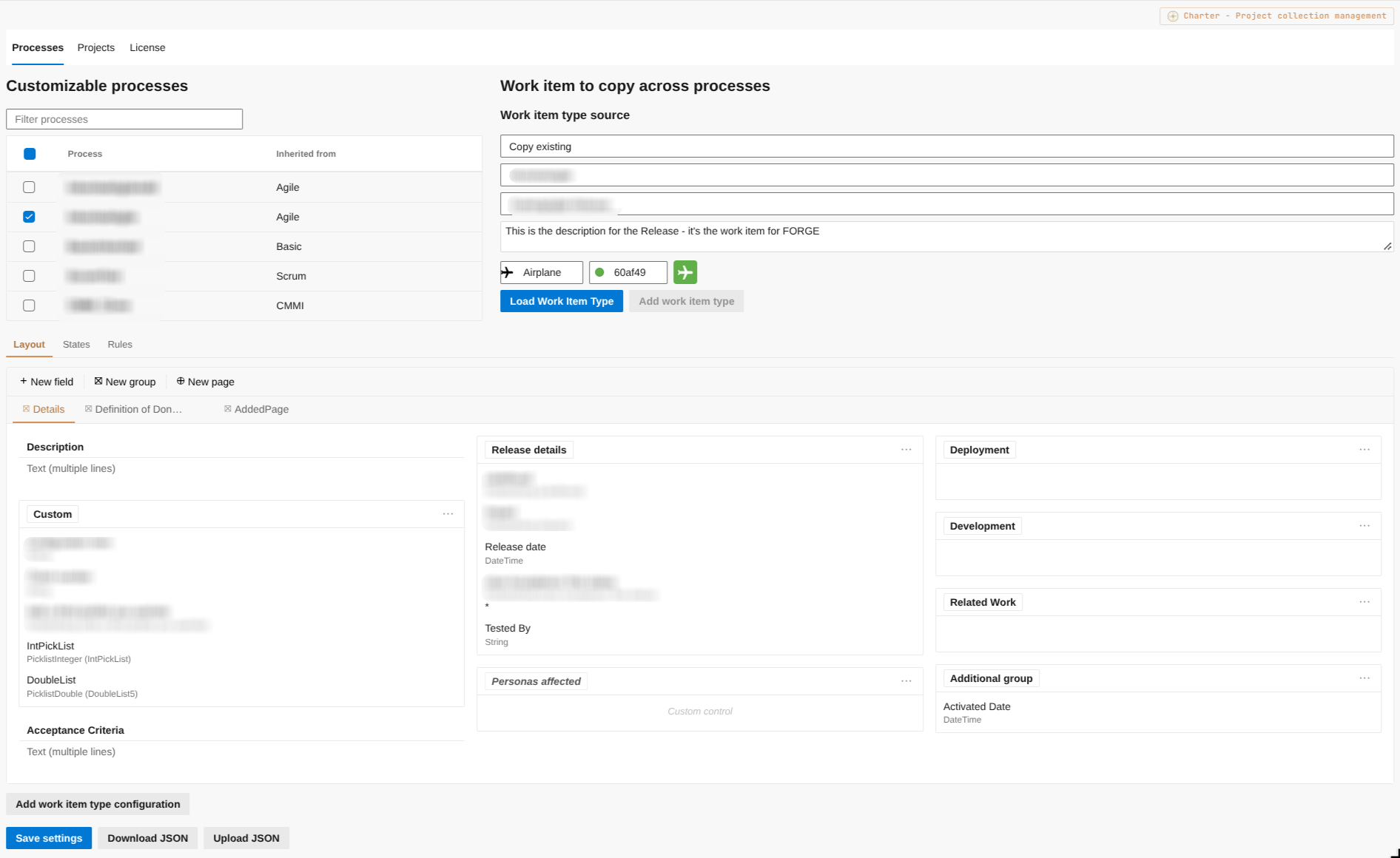
Process Configuration
Manage work item types, pages, groups, custom fields, state transitions, and conditional rules across your entire project collection from a single unified interface.
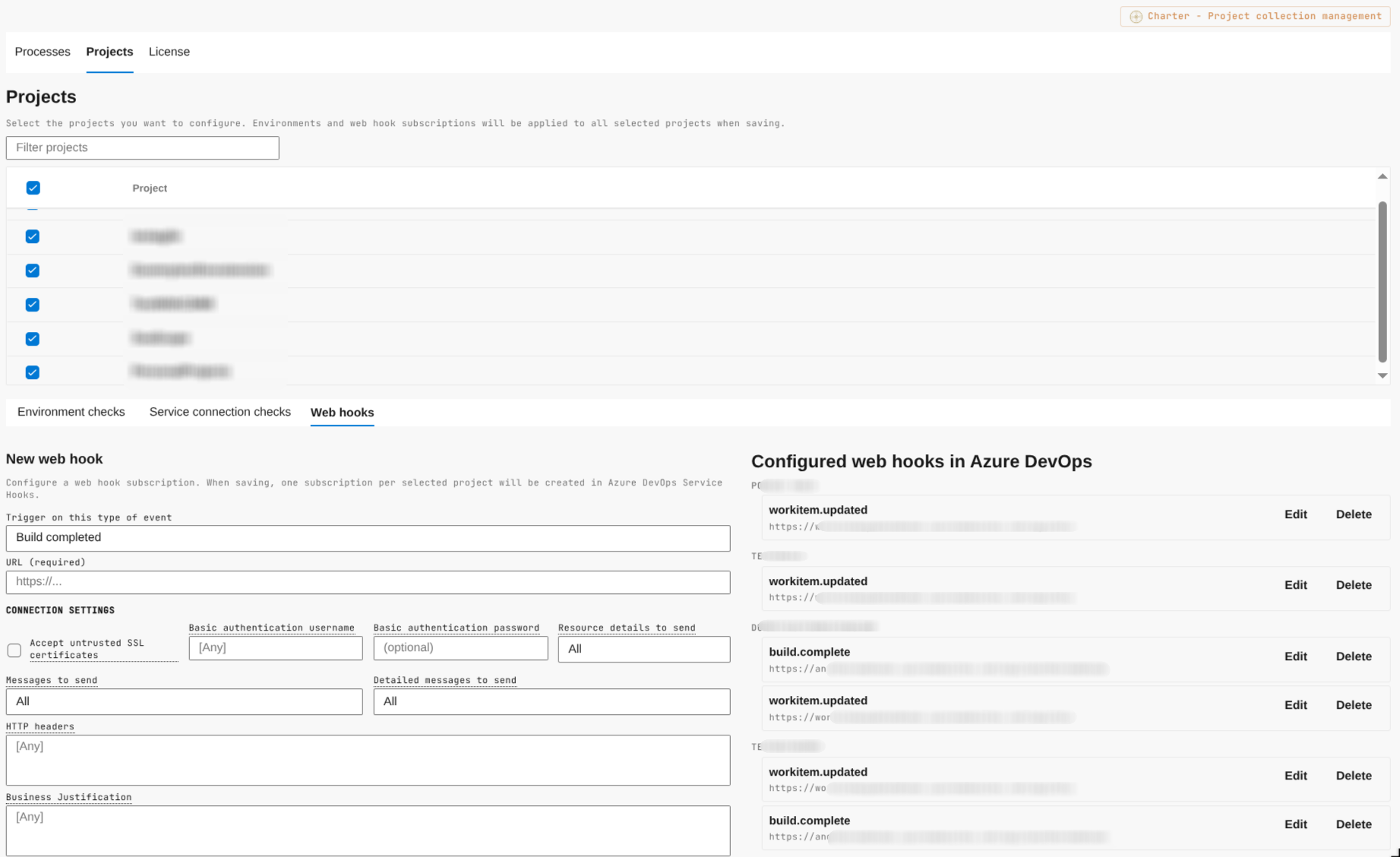
Project Configuration
Configure environment checks, service hooks, and service connection checks — individually or across your entire organisation in one action.
Bulk Operations
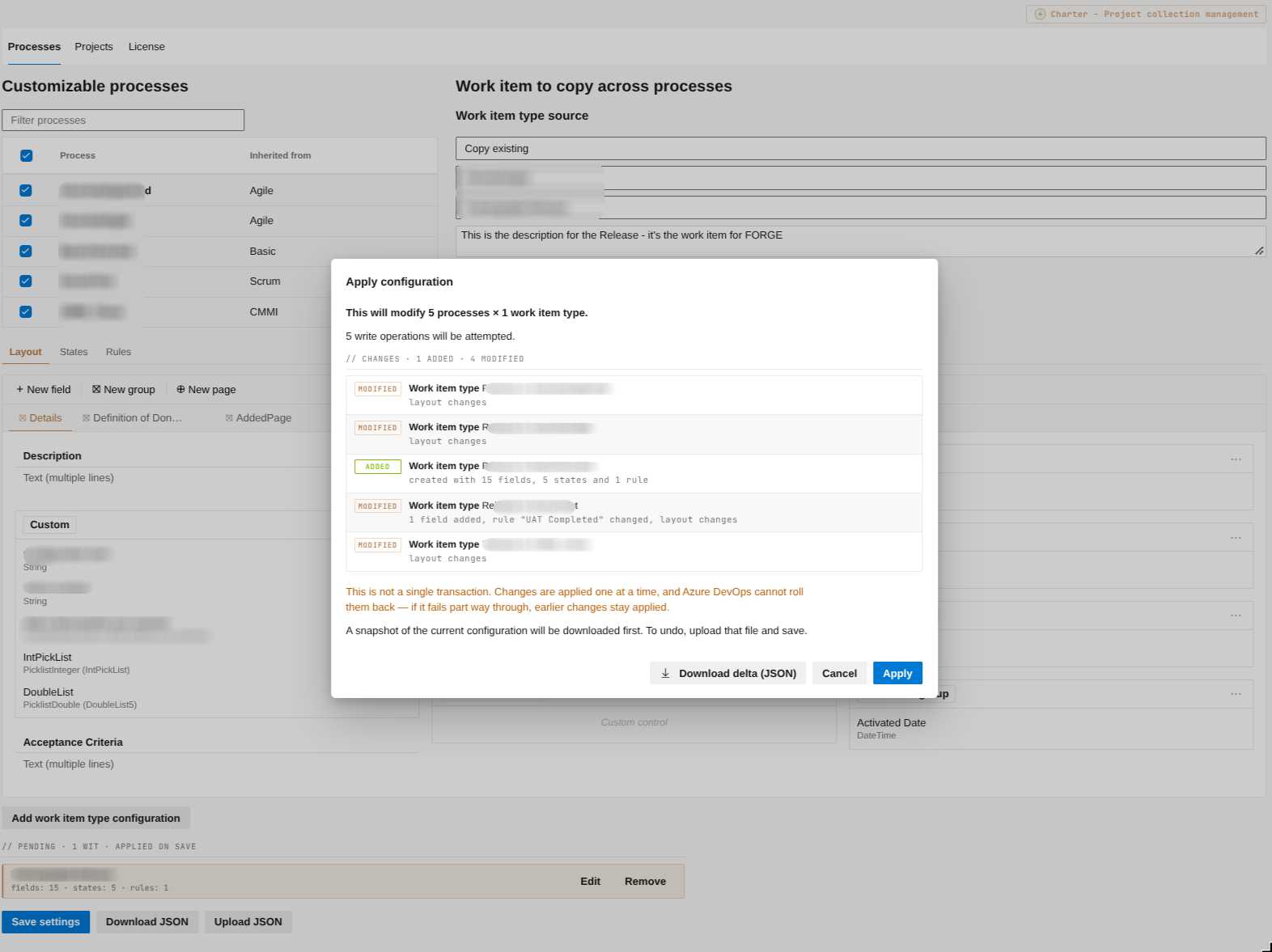
Select multiple processes and projects and apply changes across all of them in one action. Operations that would take hours to complete manually are done in minutes.
Bidirectional JSON Export / Import
Export and import complete process definitions as JSON. Version-control your configurations, transfer processes between organisations, or automate provisioning.
Zero External Infrastructure
Charter runs entirely within the Azure DevOps web extension host — no Azure Functions, no external backend. Nothing to deploy or maintain beyond the Marketplace install.
Configuration Reconciliation
Reconcile configuration drift between processes, in order to maintain consistency and prevent configuration errors in your processes.
How tier enforcement works
Charter detects your project count automatically and adjusts access accordingly. Growing collections are never fully locked out.
| Licence | Project Limit | Full Configuration Access |
|---|---|---|
| Free Trial | Unlimited (14 days) | Included |
| Standard | Up to 20 projects | Included |
| Standard (over limit) | > 20 projects | Read-only |
| Pro | Unlimited | Included |
Flat-fee pricing per organisation
Charter is priced per Azure DevOps organisation — not per user, not per project. One flat fee gives your entire administration team full access.
Free Trial
Full access to the Charter hub for 14 days so administrators can evaluate Charter against real collections.
- Full process configuration
- Full project configuration
- Bulk operations
- JSON export / import
Standard
Full feature access for collections up to 20 projects. Flat fee per organisation.
- Up to 20 projects Read-only beyond this — Pro required
- Full process configuration
- Full project configuration
- Bulk operations
- JSON export / import
- Pipeline task (CharterApply@1)
Pro
Unlimited projects and priority support. For growing organisations and platform teams managing large collections.
- Unlimited projects
- Everything in Standard
- Priority email support
- 2 business day response target
- Minor version upgrade assistance
Card subscriptions go live shortly. In the meantime, get in touch and we'll set your licence up directly.
Buying through procurement?
Organisations that need a purchase order, a formal invoice, or a signed agreement can licence Charter that way instead of by card. We invoice you directly and issue your licence key by email — same product, same tiers, same prices. Include your Azure DevOps organisation ID, which Charter shows under its License settings, so the key is issued to the right organisation.
Talk to salesHow billing works
Subscriptions are sold by Polar, acting as merchant of record for Meridian Software. Polar processes the payment, collects and remits any applicable VAT or sales tax, and appears as the seller on your invoice and card statement. Prices exclude VAT. You are charged in USD or EUR depending on your billing country, and tax is calculated at checkout from the same country.
Subscribing is subject to the licence agreement. What happens after I pay? →
See Charter in action